
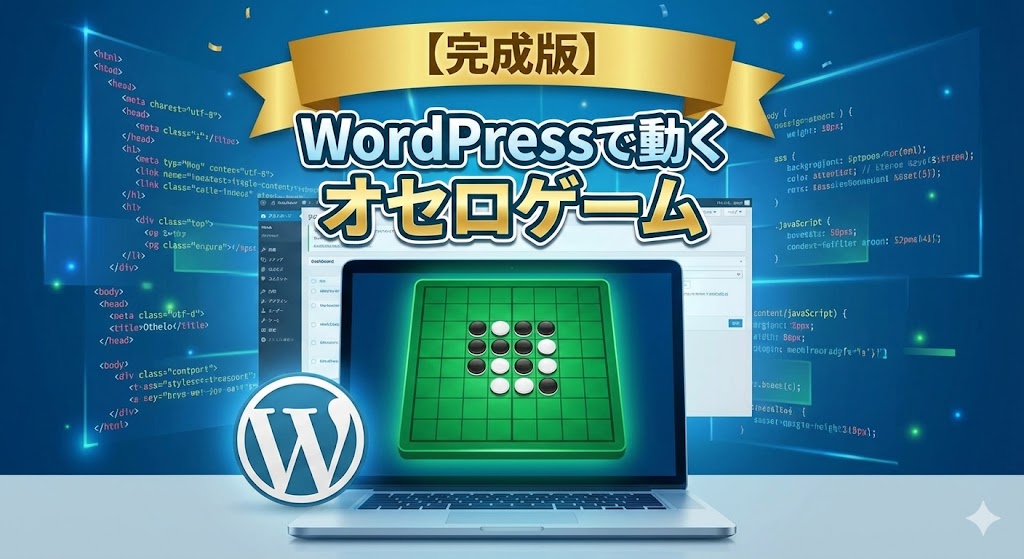
デザインやCPUの強さなど、細かな部分はまだ改良の余地がありますが、一応それなりに楽しく遊べるゲームが完成しました!AIの進化には本当に驚かされます。
黒: 2
白: 2
現在の番:黒
最近、大塚あみさんの著書**『#100日チャレンジ 毎日連続100本アプリを作ったら人生が変わった』**が話題になっていますね。
プログラミング未経験だった大学生が、ChatGPTという「相棒」を武器に人生を切り拓いていく物語。最初のきっかけは、ChatGPTでオセロゲームを作ってみたら面白くて、そのままのめり込んでしまったことだそうです。
「もしかして、自分にもできるかも?」
そんな好奇心に背中を押され、私もAI(Gemini)を相棒にして、Webサイト上で動くオセロゲームを作ってみることにしました。
ちなみに、WordPress上で動かすのは驚くほど簡単でした。 プログラミングの知識がなくても設置できるので、皆さんもぜひ試してみてください!
下に手順とコードを貼っておきます。
WordPressへの設置手順
WordPressでこのゲームを公開する手順は以下の通りです。
- 投稿編集画面(ブロックエディタ)を開く。
- 「カスタムHTML」ブロックを追加する。
- 以下のコードをコピー&ペーストして保存する。
実装コード(HTML/CSS/JavaScript)
<style>
    /* 1. ゲーム全体の枠組み(すべての基準) */
    #othello-container {
        text-align: center;
        font-family: sans-serif;
        margin: 20px auto;
        padding: 15px;
        background: #f0f0f0;
        border-radius: 15px;
        position: relative;
        max-width: 450px;
        color: #000000 !important;
    }

    /* 2. スコア表示とターン表示(幕の前に出す設定) */
    .score-board, .othello-turn-display {
        display: flex;
        justify-content: space-around;
        margin: 10px 0;
        font-size: 1.2em;
        font-weight: 900 !important;
        color: #000000 !important;

        /* ここで「幕(z-index:10)」より上の階層(z-index:11)に指定 */
        position: relative;
        z-index: 11 !important;
    }

    /* 中の文字も確実に黒くする */
    .score-board span, .othello-turn-display span {
        color: #000000 !important;
    }

    /* 3. 盤面のデザイン */
    #othello-board {
        display: grid;
        grid-template-columns: repeat(8, 40px);
        grid-template-rows: repeat(8, 40px);
        gap: 2px;
        background: #333;
        width: 334px;
        margin: 0 auto;
        border: 4px solid #333;
        position: relative;
        z-index: 1; /* 盤面は一番下の層 */
    }
    @media (min-width: 600px) {
        #othello-board { grid-template-columns: repeat(8, 50px); grid-template-rows: repeat(8, 50px); width: 414px; }
    }

    /* 4. マス目と石 */
    .othello-cell { background: #2e7d32; display: flex; justify-content: center; align-items: center; cursor: pointer; }
    .othello-stone { width: 85%; height: 85%; border-radius: 50%; display: none; transition: 0.4s; }
    .othello-black { background: #000; display: block; }
    .othello-white { background: #fff; display: block; }

    /* 5. 案内画面(幕/オーバーレイ) */
    .overlay {
        position: absolute; top: 0; left: 0; width: 100%; height: 100%;
        background: rgba(255,255,255,0.95); /* 幕の白さを少し強めました */
        border-radius: 15px;
        display: flex; flex-direction: column; justify-content: center; align-items: center;
        z-index: 10; /* スコア表示より一つ下の層 */
    }
    .btn-main { margin: 10px; padding: 12px 25px; font-size: 16px; cursor: pointer; border: none; border-radius: 5px; color: white; }
    #othello-message { color: #d32f2f; font-weight: bold; margin: 5px 0; min-height: 1.2em; position: relative; z-index: 11; }

/* 6. スタート画面のタイトル(濃い緑+白い下線) */
#othello-container #overlay-title {
    all: unset !important;
    display: inline-block !important; /* 文字の幅に合わせる */
    font-size: 28px !important;       /* 少し大きめで存在感を出す */
    font-weight: 900 !important;      /* 極太にして力強く */

    /* 文字色を盤面と同じ「濃い緑」に変更 */
    color: #2e7d32 !important;

    letter-spacing: 0.2em !important;  /* 文字の間隔を広げる */
    margin: 30px 0 40px 0 !important; /* 下の余白を少し広めに調整 */
    padding: 0 10px 8px 10px !important;
    text-align: center !important;

    /* 下線を「白」に変更し、背景と同化しないよう影を追加 */
    border-bottom: 5px solid #ffffff !important;
    box-shadow: 0 4px 6px rgba(0,0,0,0.3) !important; /* 下線を際立たせる影 */

    border-radius: 2px !important;
    /* 文字自体にもわずかに影をつけて立体感を出す */
    text-shadow: 1px 1px 2px rgba(0,0,0,0.2) !important;

    position: relative;
    z-index: 11 !important; /* 念のため最前面を指定 */
}
</style>

<div id="othello-container">
    <div id="game-overlay" class="overlay">
        <h3 id="overlay-title">オセロゲーム</h3>
        <div id="overlay-content">
            <button class="btn-main" style="background:#333" onclick="startGame(1)">先攻 (黒) で開始</button>
            <button class="btn-main" style="background:#999; color:#000" onclick="startGame(2)">後攻 (白) で開始</button>
        </div>
    </div>

    <div class="score-board">
        <div>黒: <span id="score-black">2</span></div>
        <div>白: <span id="score-white">2</span></div>
    </div>

    <div class="othello-turn-display" style="margin-bottom:10px;">
        現在の番:<span id="othello-turn">黒</span>
    </div>

    <div id="othello-board"></div>
    <div id="othello-message"></div>

    <button onclick="location.reload()" style="margin-top:15px; padding:8px 16px; cursor:pointer; background:none; border:1px solid #999; border-radius:5px;">リセット</button>
</div>

<script>
(function() {
    const boardElement = document.getElementById('othello-board');
    const turnText = document.getElementById('othello-turn');
    const messageText = document.getElementById('othello-message');
    const overlay = document.getElementById('game-overlay');
    const overlayTitle = document.getElementById('overlay-title');
    const overlayContent = document.getElementById('overlay-content');

    let board = [];
    let currentTurn = 1;
    let playerColor = 1;
    const directions = [[-1, 0], [1, 0], [0, -1], [0, 1], [-1, -1], [-1, 1], [1, -1], [1, 1]];

    // 1. ゲーム開始
    window.startGame = function(color) {
        playerColor = color;
        overlay.style.display = 'none';
        initBoard();
        if (playerColor === 2) setTimeout(cpuMove, 800);
    };

    // 2. 盤面初期化
    function initBoard() {
        boardElement.innerHTML = '';
        for (let y = 0; y < 8; y++) {
            board[y] = [];
            for (let x = 0; x < 8; x++) {
                board[y][x] = 0;
                const cell = document.createElement('div');
                cell.className = 'othello-cell';
                cell.onclick = () => handleClick(y, x);
                const stone = document.createElement('div');
                stone.id = `stone-${y}-${x}`;
                stone.className = 'othello-stone';
                cell.appendChild(stone);
                boardElement.appendChild(cell);
            }
        }
        putStone(3, 3, 2); putStone(3, 4, 1);
        putStone(4, 3, 1); putStone(4, 4, 2);
        updateScore();
    }

    function putStone(y, x, color) {
        board[y][x] = color;
        const stone = document.getElementById(`stone-${y}-${x}`);
        stone.className = 'othello-stone ' + (color === 1 ? 'othello-black' : 'othello-white');
    }

    // 3. ルール判定:ひっくり返せる石を探す
    function getFlippableStones(y, x, color) {
        if (board[y][x] !== 0) return [];
        let allFlippable = [];
        const opponent = (color === 1) ? 2 : 1;
        for (const [dy, dx] of directions) {
            let temp = [];
            let ny = y + dy, nx = x + dx;
            while (ny >= 0 && ny < 8 && nx >= 0 && nx < 8 && board[ny][nx] === opponent) {
                temp.push([ny, nx]);
                ny += dy; nx += dx;
            }
            if (ny >= 0 && ny < 8 && nx >= 0 && nx < 8 && board[ny][nx] === color) {
                allFlippable = allFlippable.concat(temp);
            }
        }
        return allFlippable;
    }

    // 4. クリック時の動き
    function handleClick(y, x) {
        if (currentTurn !== playerColor) return;
        const flippable = getFlippableStones(y, x, currentTurn);
        if (flippable.length > 0) executeMove(y, x, flippable);
        else messageText.innerText = "そこには置けません!";
    }

    // 5. 石を置いて交代
    function executeMove(y, x, flippable) {
        putStone(y, x, currentTurn);
        flippable.forEach(([fy, fx]) => putStone(fy, fx, currentTurn));
        messageText.innerText = "";
        updateScore();

        currentTurn = (currentTurn === 1) ? 2 : 1;
        turnText.innerText = (currentTurn === 1) ? "黒" : "白";

        // パス判定
        if (!checkAnyMovePossible(currentTurn)) {
            currentTurn = (currentTurn === 1) ? 2 : 1;
            if (!checkAnyMovePossible(currentTurn)) {
                endGame();
                return;
            }
            messageText.innerText = (currentTurn === playerColor ? "CPU" : "あなた") + "がパスしました";
            turnText.innerText = (currentTurn === 1) ? "黒" : "白";
        }

        if (currentTurn !== playerColor) setTimeout(cpuMove, 1000);
    }

    // 6. CPUの動き
    function cpuMove() {
        let validMoves = [];
        for (let y = 0; y < 8; y++) {
            for (let x = 0; x < 8; x++) {
                const flippable = getFlippableStones(y, x, currentTurn);
                if (flippable.length > 0) validMoves.push({y, x, flippable});
            }
        }
        if (validMoves.length > 0) {
            const move = validMoves[Math.floor(Math.random() * validMoves.length)];
            executeMove(move.y, move.x, move.flippable);
        }
    }

    function checkAnyMovePossible(color) {
        for (let y = 0; y < 8; y++) {
            for (let x = 0; x < 8; x++) {
                if (getFlippableStones(y, x, color).length > 0) return true;
            }
        }
        return false;
    }

    function updateScore() {
        let black = 0, white = 0;
        board.forEach(row => row.forEach(cell => {
            if (cell === 1) black++;
            if (cell === 2) white++;
        }));
        document.getElementById('score-black').innerText = black;
        document.getElementById('score-white').innerText = white;
        return { black, white };
    }

    function endGame() {
        const score = updateScore();
        let resultMsg = score.black === score.white ? "引き分けです!" :
                        (score.black > score.white ? 1 : 2) === playerColor ? "あなたの勝ち!" : "あなたの負け...";
        overlayTitle.innerHTML = "ゲーム終了";
        overlayContent.innerHTML = `<p style="font-size:20px;">${resultMsg}<br>黒:${score.black} 対 白:${score.white}</p><button class="btn-main" onclick="location.reload()" style="background:#2e7d32">もう一度遊ぶ</button>`;
        overlay.style.display = 'flex';
    }
})();
</script>
ちなみにわたくしはまだこの著書を読んでおりません。すごく興味があるので機会があれば購入しようと思っています。
#100日チャレンジ毎日連続100本アプリを作ったら人生が変わった | 検索 | 古本買取のバリューブックス
これからもコツコツと興味が湧いたものを形にしていこうと思っています。